How it works
Plug in what you play. Draw the lights like notes. Perform them when the room asks for it.
01 — The engine
CDJs using Pro DJ Link. Rekordbox over Ableton Link. Serato. Live audio input. Midi from controllers you already own.
Sources come and go. The show still knows where it is.
Rekordbox
via Ableton Link

Serato
same idea, different deck software

MIDI
pads, knobs, the board in front of you
Audio input
the mix, when that's the clock
CDJs
club decks, house party decks
Internal
LightSync holds time on its own

The engine
LightSync owns the timeline.
A lighting timeline
Patterns, bars, the next look — independent of whatever is driving it.
The room
Preview it. Play it. When you are ready, send it out as light.
02 — Patterns
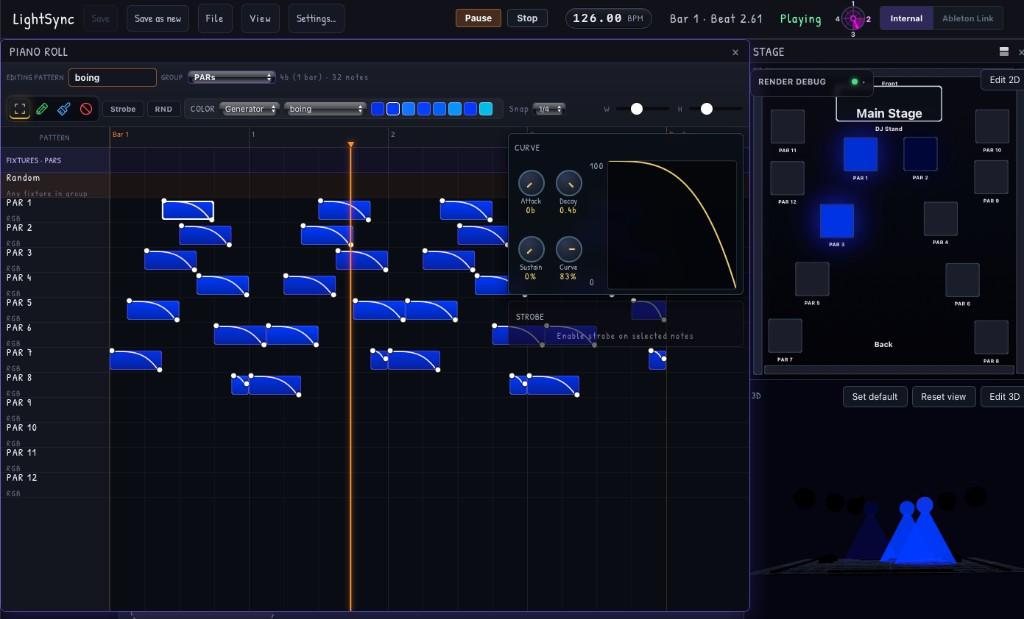
Each fixture is a lane. Each block is a note. Inside the note is an intensity curve. If you have ever drawn a melody, this is the same muscle.
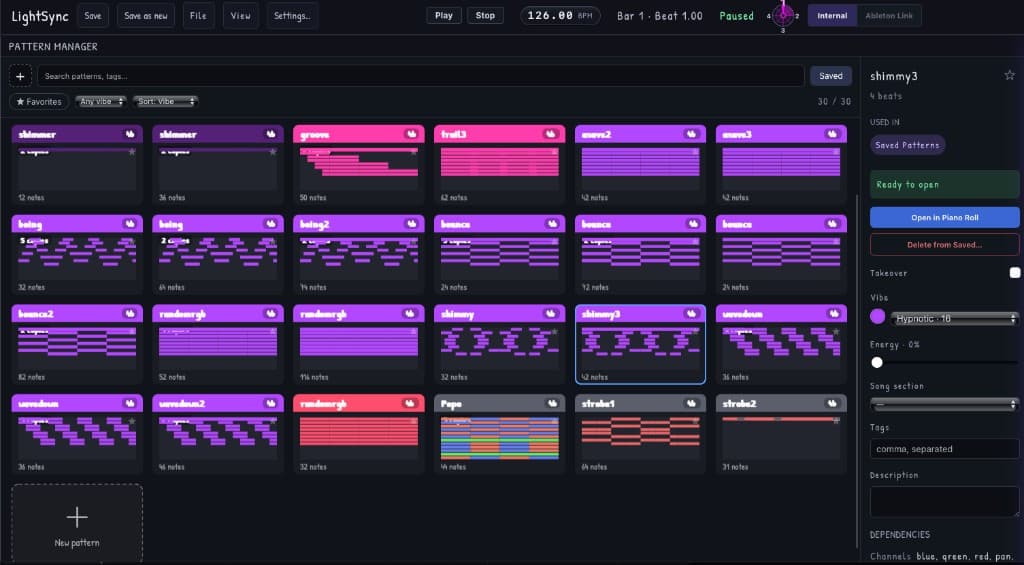
Hypnotic. Peak. Warm. Aggressive. You tag the look with the feeling, not a fixture personality. Later, when the set turns, you reach for the vibe, LightSync has a pile of patterns already waiting in that color of night.
03 — The studio
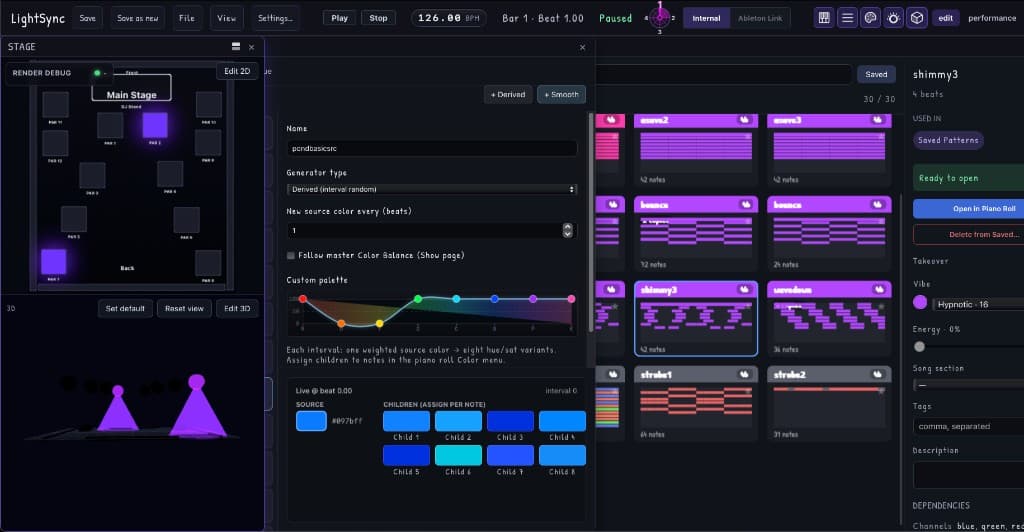
Where you make the stuff you will actually want at 1am. Layouts. Palettes. Patterns you can open in the piano roll. Think of a DAW but for lights.
04 — The set
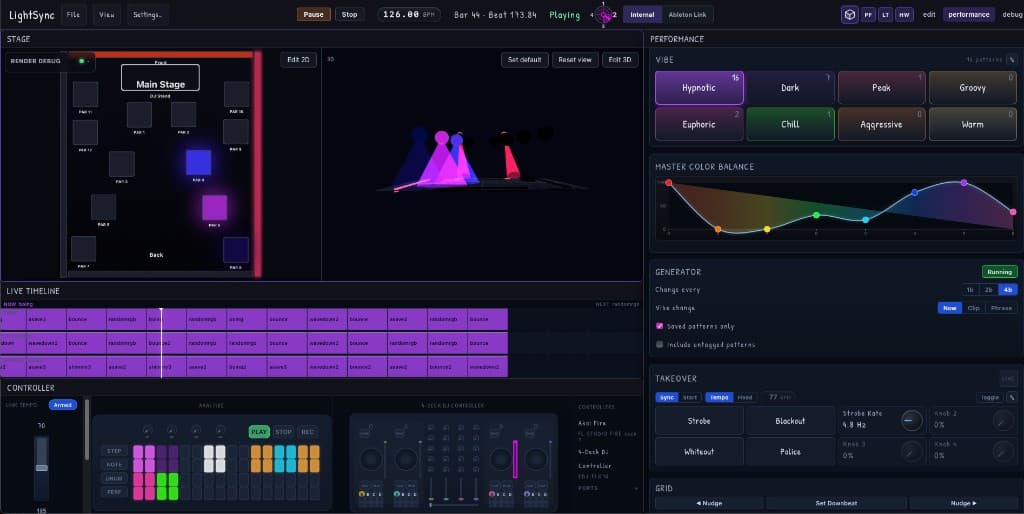
Vibes under your fingers. A live timeline so you can see what is on and what is next. Takeovers when the room needs a hit — strobe, blackout, the simple fun stuff that makes a party a party. You aren't patching a desk. You're playing an instrument.
05 — Hardware
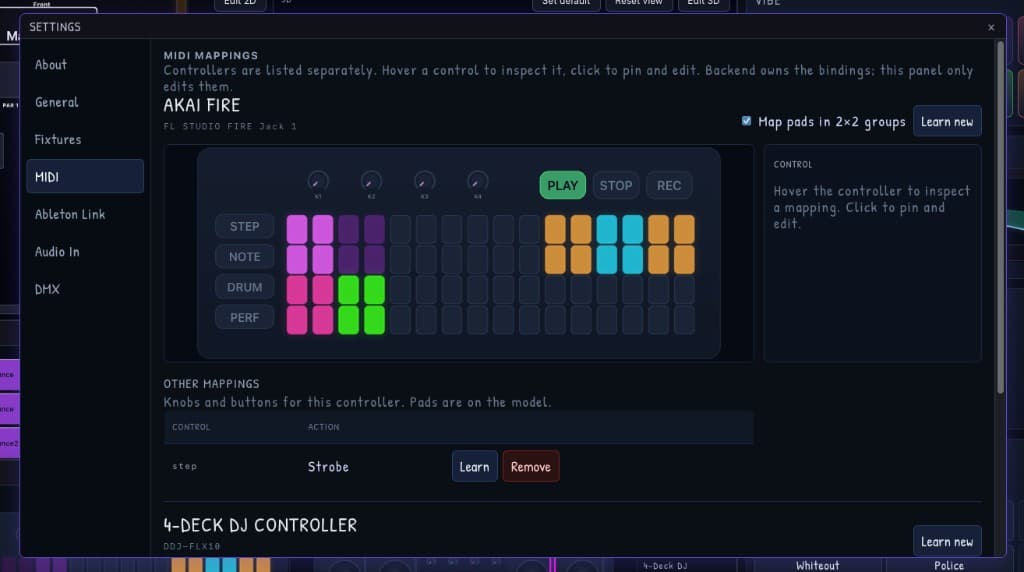
Map an Akai Fire. Map the controller you already mix on. Pads become looks. Map nearly anything to anything. You do not need a special lighting surface sitting next to the one you paid for last year.
06 — Timing
Nudge when you need to. Set the downbeat. LightSync holds the grid so you can stay in the music — so your performance becomes a cohesive voice.
